Keyboard-first
Option+Tab opens SwiftSwitch, then one shortcut can select the app or window you want.
Every app, window, and Space — one keystroke away.
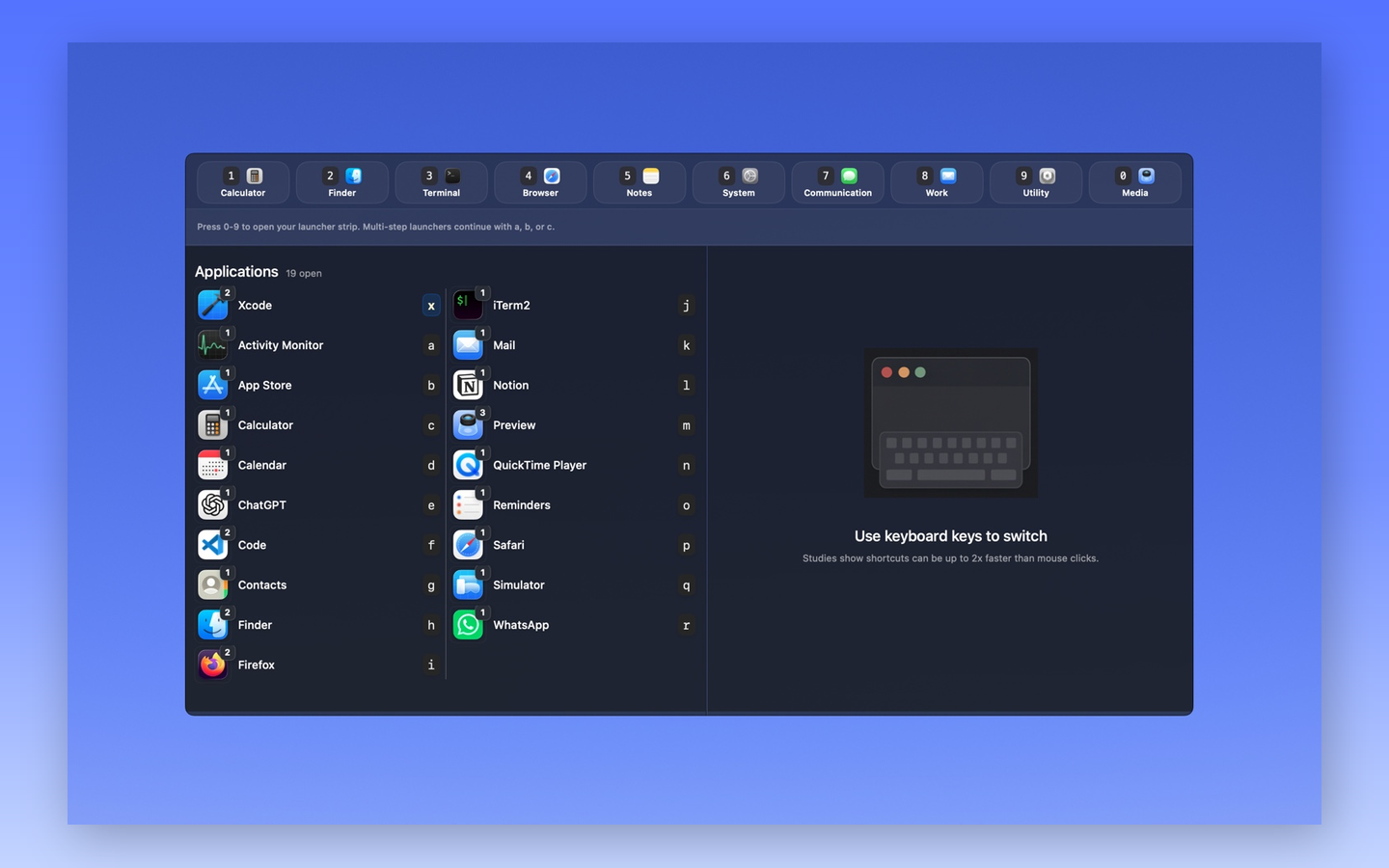
SwiftSwitch for Mac keeps app, window, space, and launcher switching on the keyboard. Press a shortcut, jump to the right target, and keep moving.
See SwiftSwitch in motion.
A quick look at keyboard-first app switching, window targeting, launcher slots, and personal themes.
Keyboard-first by design
Interaction models estimate that a learned keyboard shortcut can take roughly one-third the time of an equivalent menu action. Controlled research found that shortcuts overtake menus after about 200 repetitions.
Based on the Keystroke-Level Model and a keyboard-shortcut crossover study.
App switching, with less cycling.
Running apps are presented with stable keyboard hints, so the apps you use every day stay fast to reach.
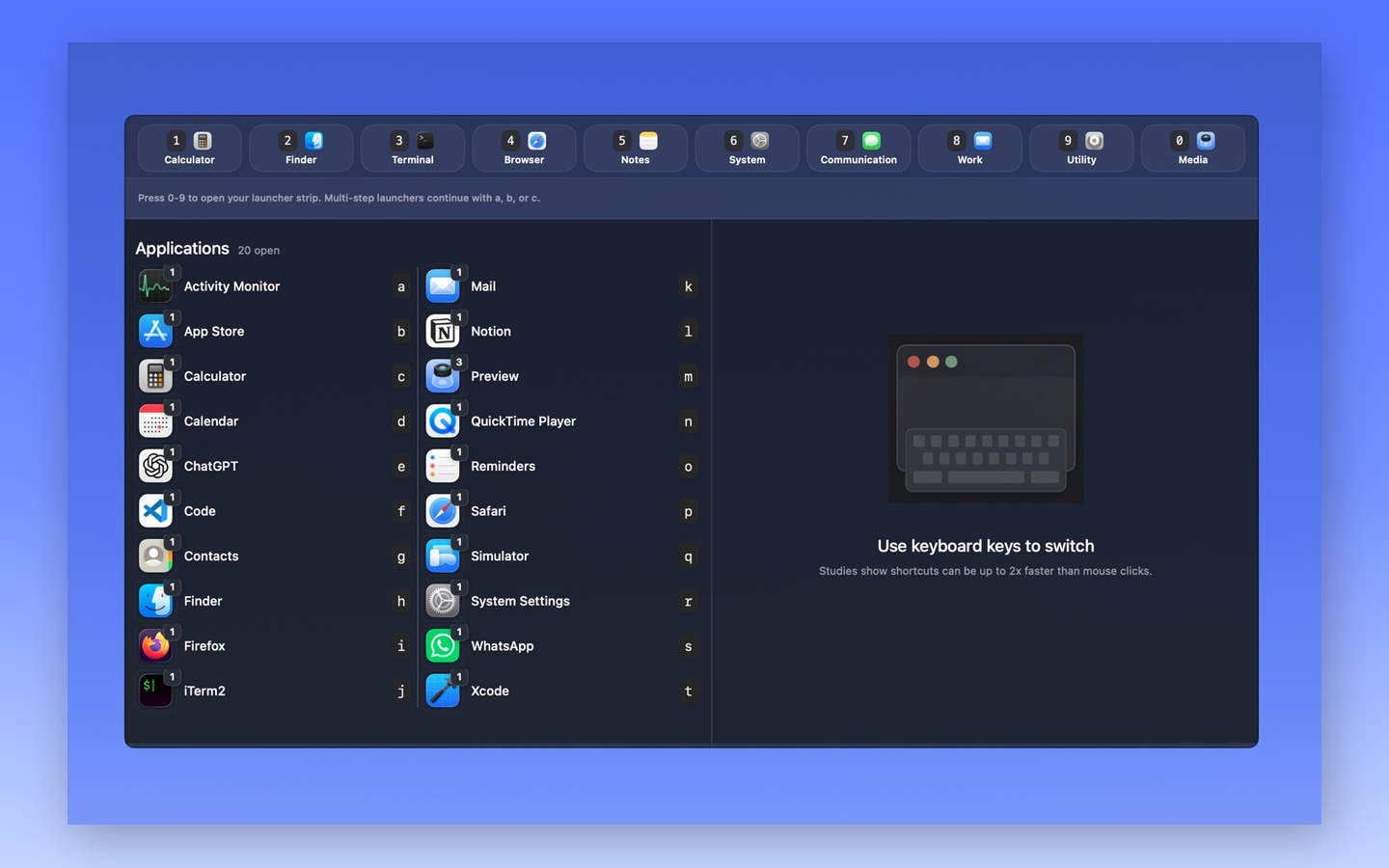
Windows are first-class targets.
Jump to a specific terminal, browser, editor, document, or fullscreen app instead of only activating the app.
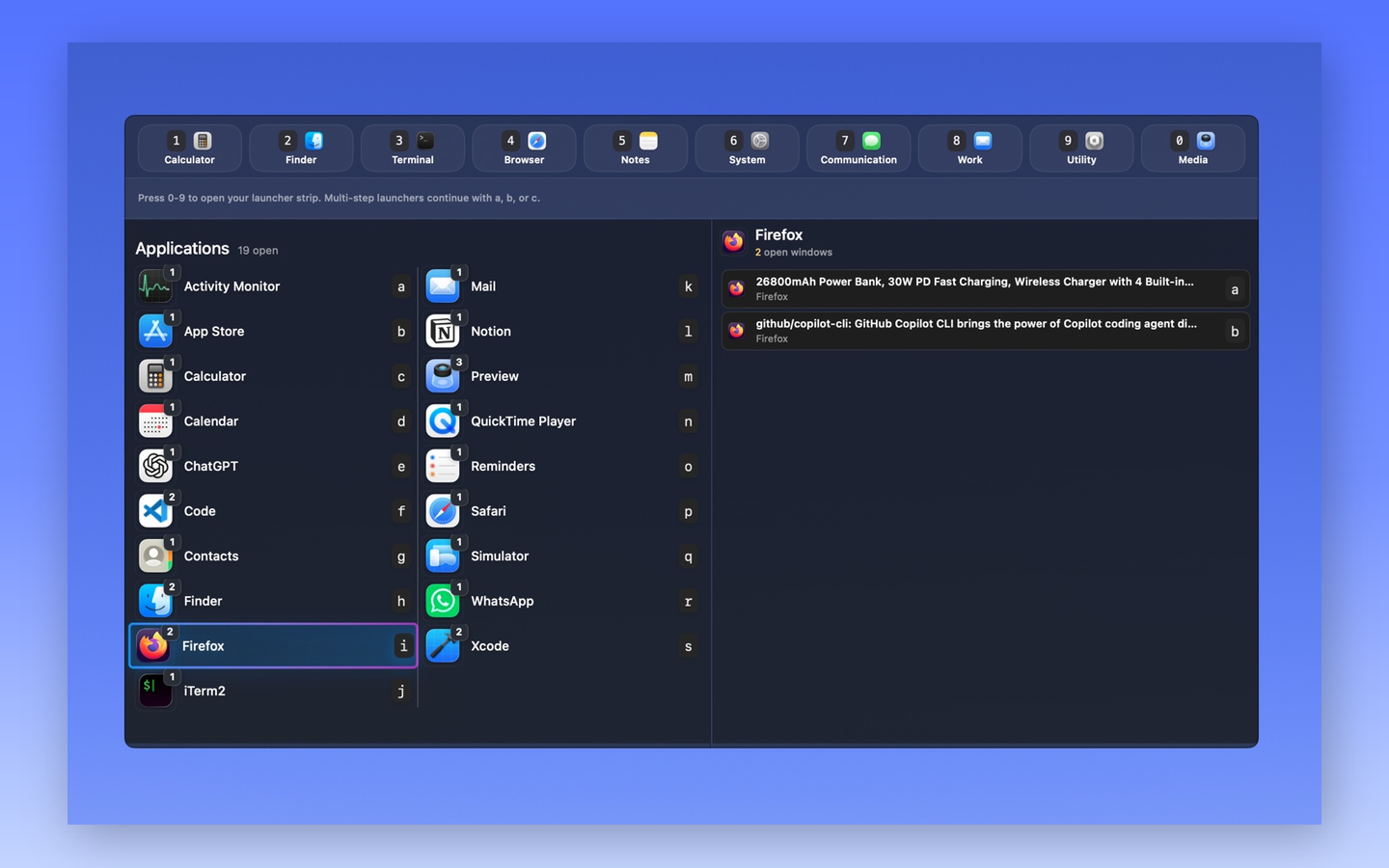
Type / and find any window.
Search matches app names and window titles together, so typing “inbox” surfaces Mail with the right window already highlighted. The vim-style command line at the bottom echoes every keystroke, and Enter jumps straight to the best match.
Mark first, then act once.
Press :, mark apps or windows with the space bar, and close, minimize, or quit everything marked in one pass. Quitting asks for a second keypress right in the footer — no dialogs, and save prompts always stay with the app.
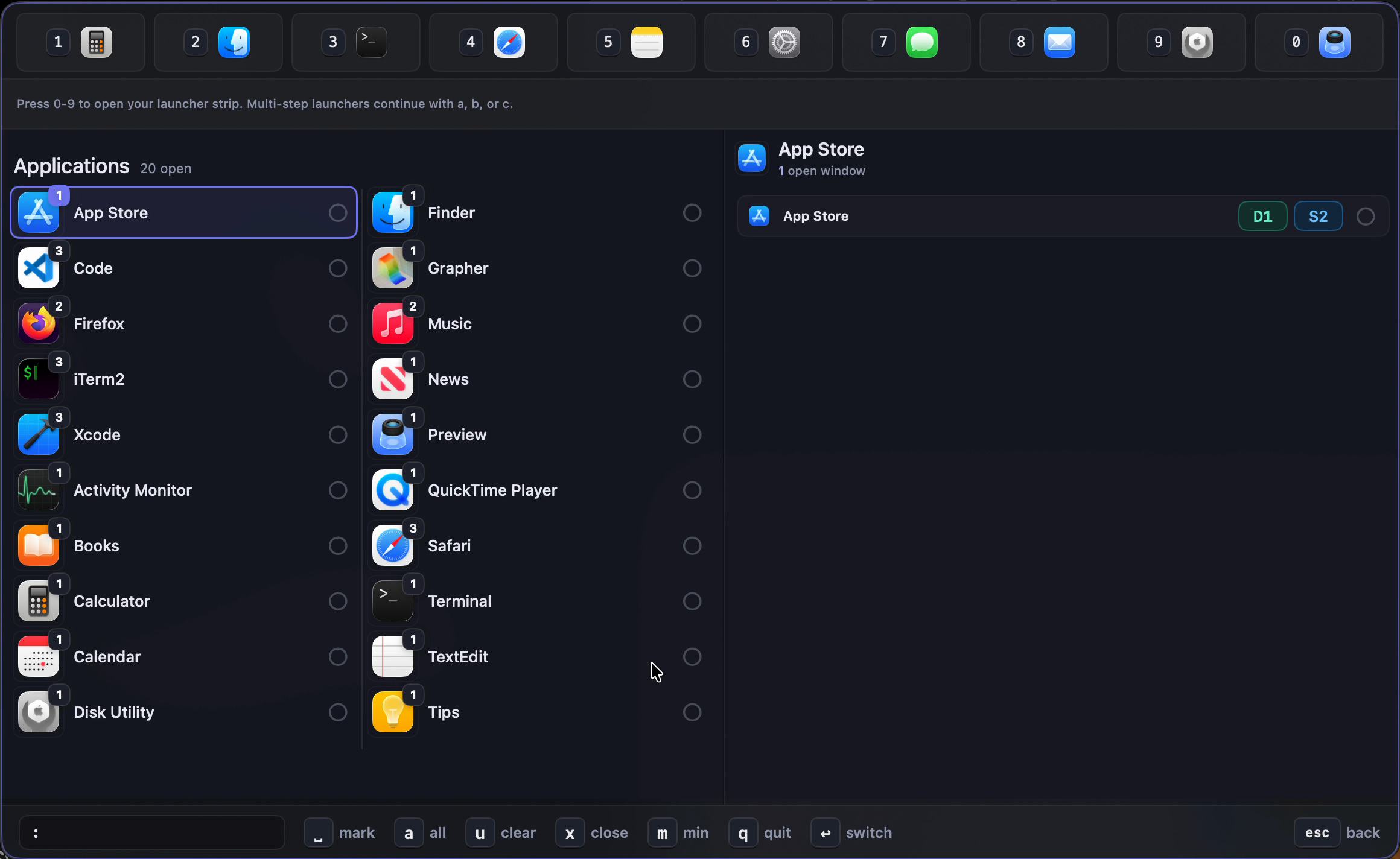
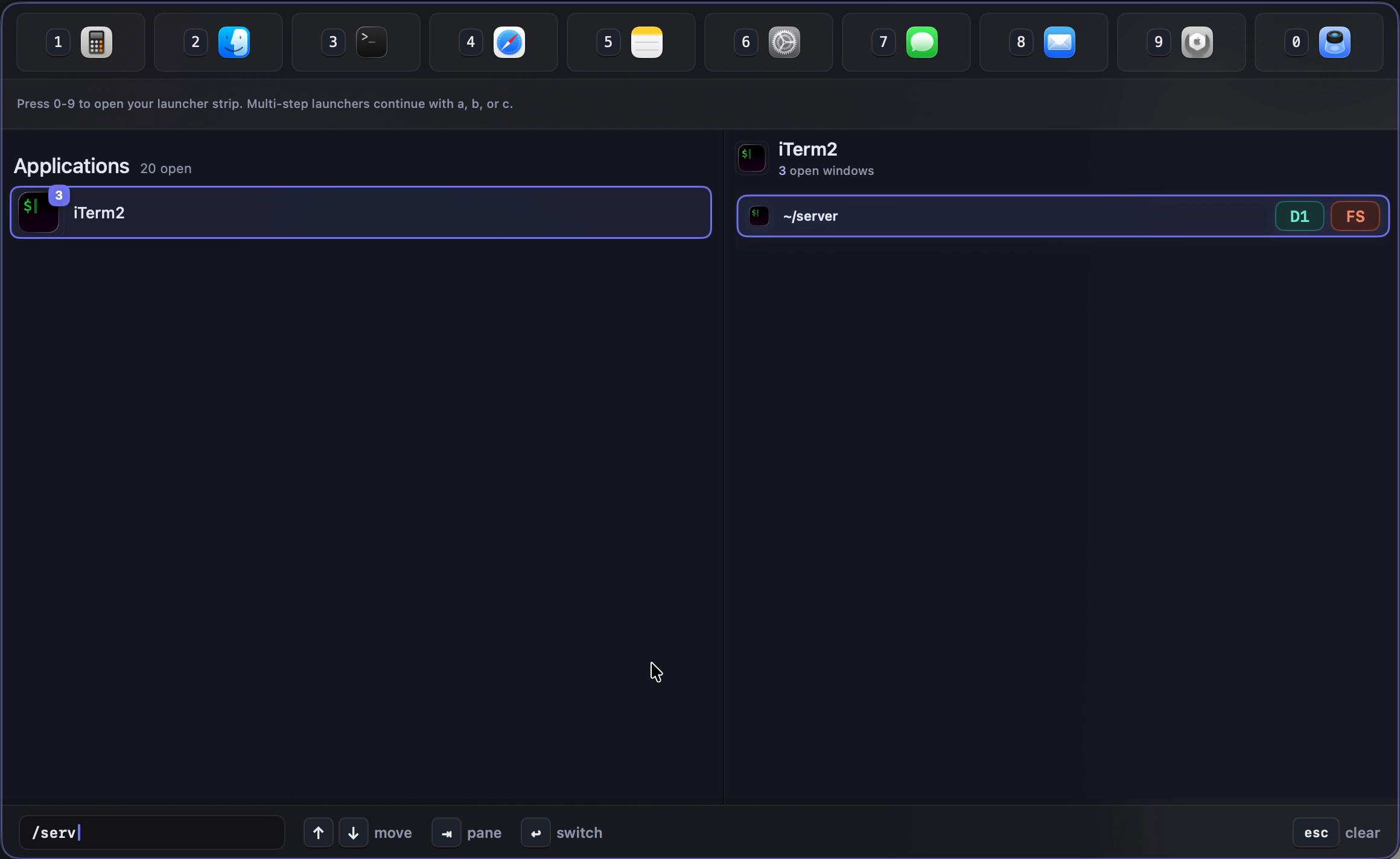
Know where the window lives before you jump.
Badges keep the map visible: display numbers show which monitor a window is on, space numbers show the desktop, and FS marks a full-screen Space.
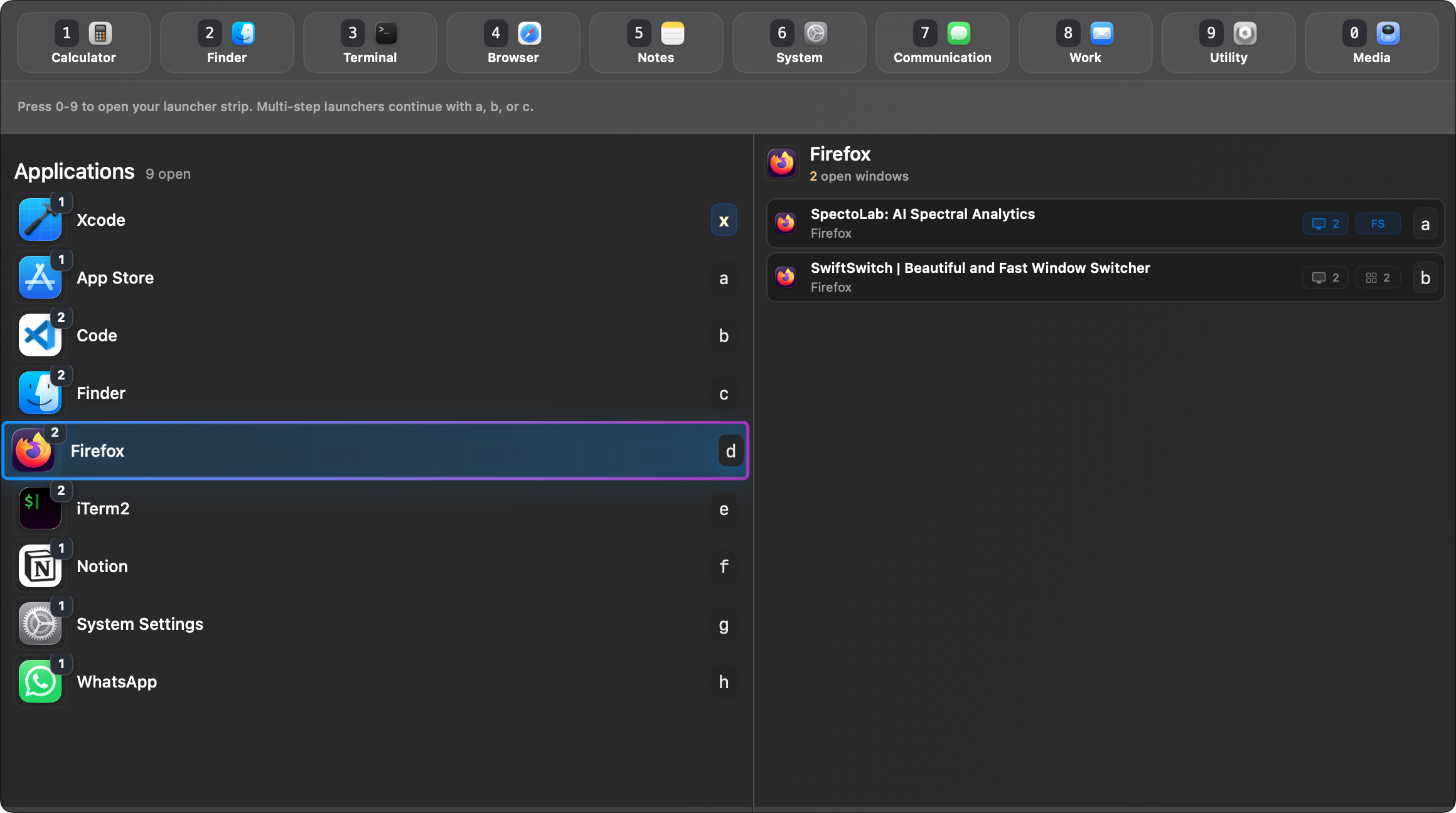
Launch anything from the same surface.
Keep apps, folders, files, URLs, and reusable actions in launcher slots for the things you open repeatedly.
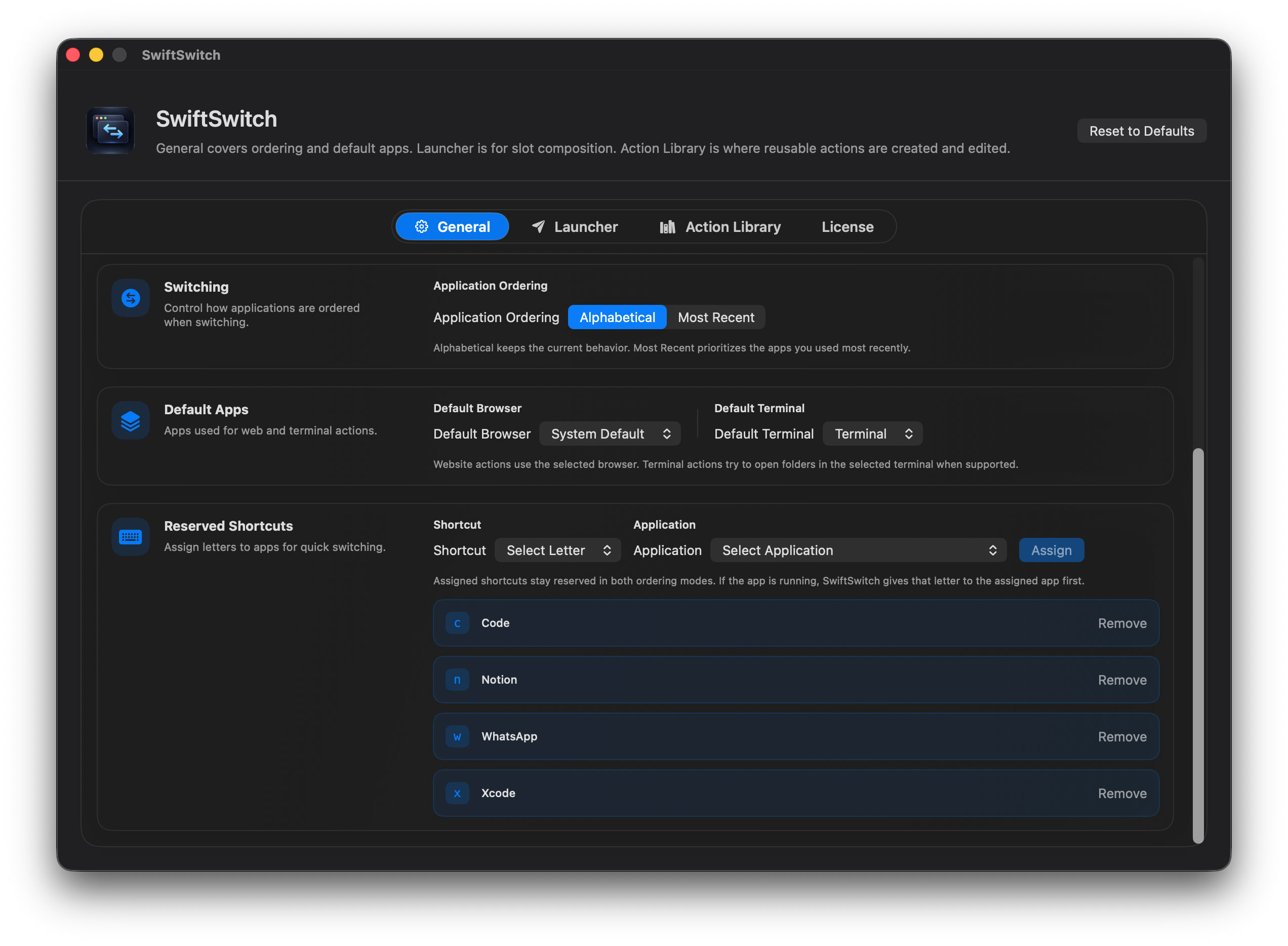
Make SwiftSwitch yours.
Choose from 10 built-in themes, each tuned for both light and dark appearances.
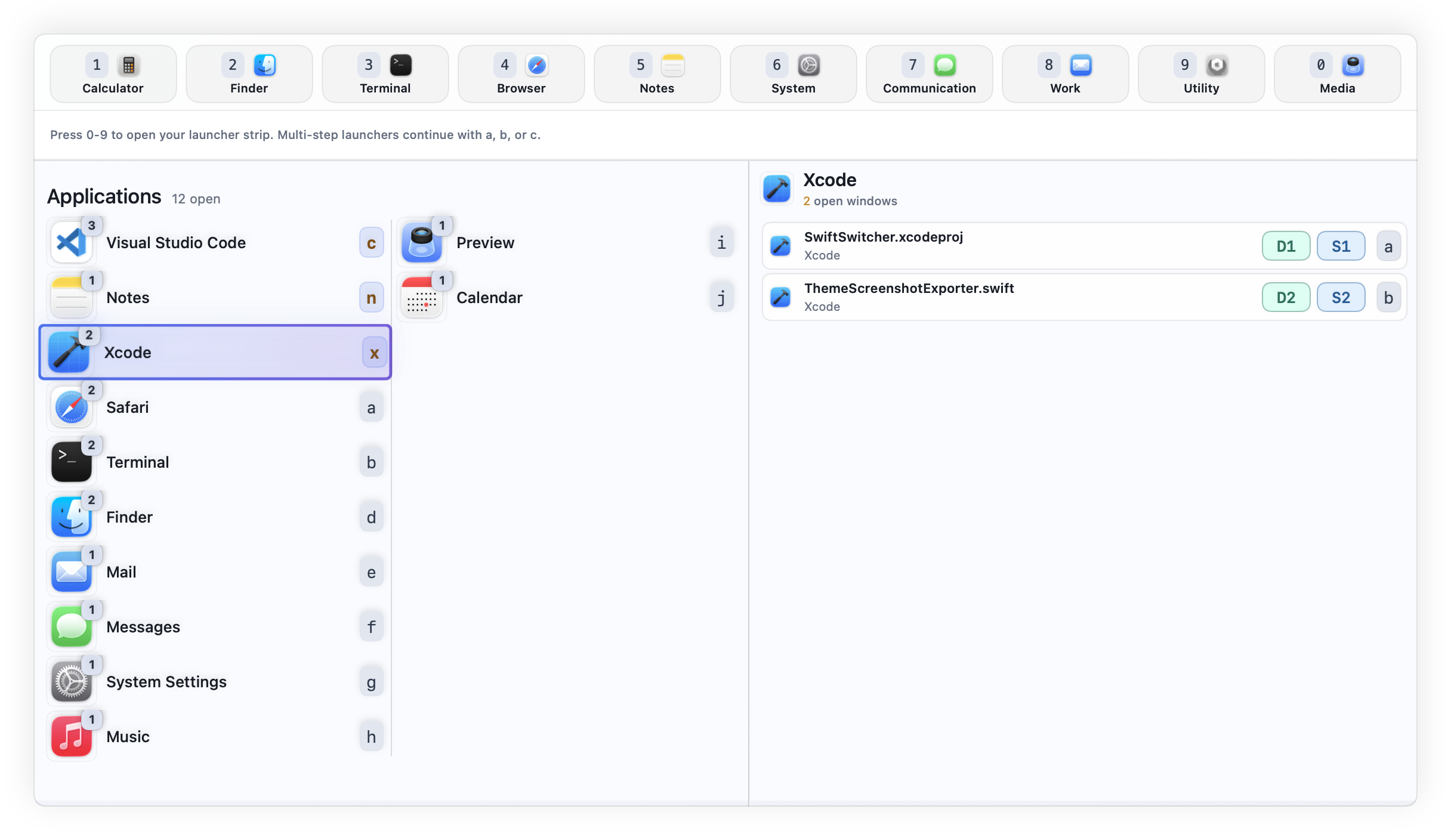
Option+Tab opens SwiftSwitch, then one shortcut can select the app or window you want.
Jump to a specific terminal, browser, editor, or document window from the same surface.
Activate windows across desktops and fullscreen spaces without dragging them around.
See where each window lives: desktop, fullscreen space, and display context included.
Keep apps, folders, files, URLs, and actions in numbered keyboard slots.
Create a workflow once, then reuse it anywhere across your launcher setup.
Arrows move a live highlight, Tab switches panes, Enter switches — and every row is a click target when your hand is on the mouse.
The footer echoes your keystrokes and only ever shows shortcuts that actually work in the current mode.
Built around macOS app and accessibility APIs, with a compact interface that gets out of the way.
Try it free, then buy a lifetime license. No subscription ladder, no complicated tiers.